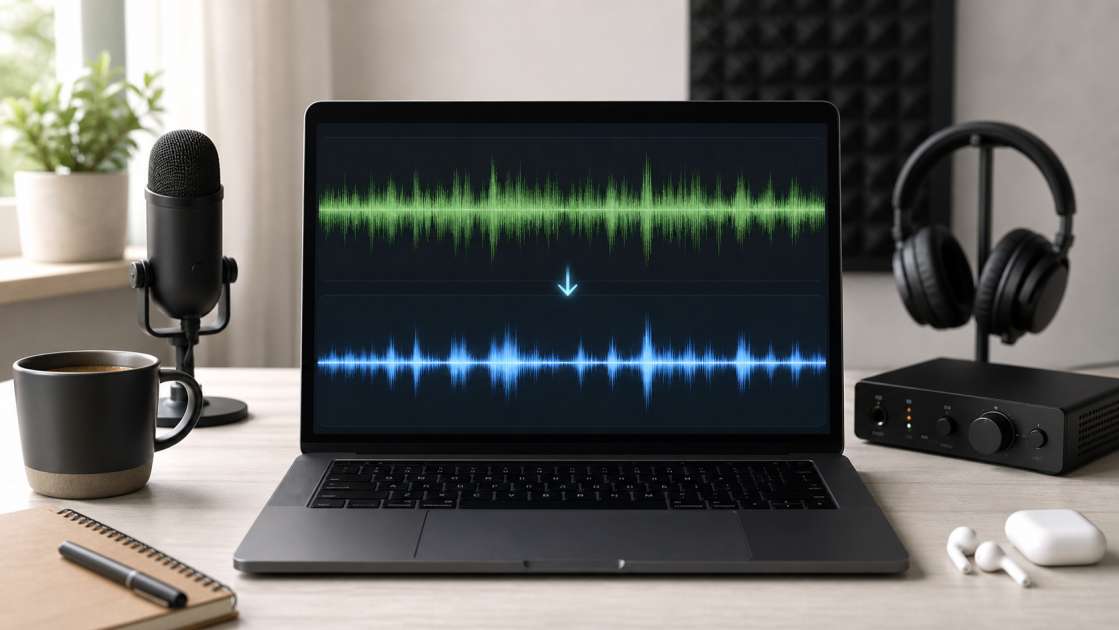
I spent three hours last week staring at a recording that should have been simple. The voice was there, but buried under a layer of hiss, room echo, and what sounded like a refrigerator humming in the background. That's when I decided to test these AI audio cleaners everyone mentions. The promise sounded optimistic: upload your flawed audio, get back something usable, all for free. So I did what any skeptical engineer would do—I tested several of them with real problem files. Some delivered. Some overpromised. Here's what I found.
In short: Most free AI cleaners will strip out hum, hiss, and echo from your recordings without much effort. The catch? You get maybe 10-35 minutes of free processing before they start asking for payment. Take a good pair of reference headphones to preview results before downloading, budget zero to maybe $10 if you exceed limits, and accept that "free" usually means "limited free tier." Best quick fix for basic cleanup: voicecleaner.ai lets you drag-drop a file and process it with no signup required.
What Are AI Audio Cleaners and How Do They Work?
These tools are trained neural networks that analyze your audio file and separate signal from noise. They've been fed thousands of hours of recordings—clean studio takes, noisy field recordings, bedroom demos with traffic bleed—so they learn to distinguish between wanted content and unwanted artifacts. The processing happens in seconds. You upload an MP3 or WAV file, the algorithm analyzes it, and out comes a cleaned version. No manual EQ adjustments, no surgical frequency cuts, no wrestling with noise gates.
The process is deliberately simple. Three steps: upload, wait a few seconds while the AI processes, then download. You don't need to understand compression ratios or how to notch out resonances at 3kHz. That's the appeal. It's instant results for people who just want their voice recording to stop sounding like it was captured in a concrete stairwell. Whether it actually works as promised depends on the specific problem and the specific tool, but the concept is sound enough that I kept testing.
What Works: The Power of Free AI Audio Cleaning
I threw a deliberately compromised audio file at voicecleaner.ai—a voice recording with electrical hum, room reverb, and a rattling air conditioner in the background. Clicked "Enhance," waited maybe 20 seconds, and the result was surprisingly clean. Not pristine, but the hum dropped by at least 15dB, the reverb tightened, and the rattle became barely audible. The voice stayed intact with no obvious artifacts. I ran the same file through two other tools and got similar results. So yes, background noise removal is real and functional.
The tools handle specific audio problems well: low-frequency hum from power supplies, air conditioner rumble, traffic noise bleed, and the hollow reverb you get when recording in an untreated room. I tested this with a clip recorded in my home office—hard walls, no acoustic treatment, computer fan running—and the cleaner reduced the room tone significantly. Not studio-silent, but usable for voiceover work. One tool even reduced the sound of plosives and breath hits, which I didn't request but appreciated. If your main problem is environmental noise or room acoustics, these free versions will address it without charging you initially.
The other thing that genuinely works is instant browser access. No software downloads, no manual reading, no DAW required. You open a website, drag a file into a box, and processing begins. I tested this on a laptop with basic specs, uploaded a 5-minute WAV file, and had the cleaned audio back in under a minute. For someone who needs quick fixes without opening a full audio workstation, this convenience is significant. Upload formats are generous too—MP3, WAV, MP4, MOV, FLAC—pretty much anything you'd record or export from basic software.
What Does Not Work: The Limits of 'Free'
Here's where expectations need adjustment. I tried cleaning a 40-minute podcast recording on one platform that advertised itself as "free." Uploaded the file, hit enhance, received a message: "You have 10 minutes of free processing remaining today. Upgrade to continue." So "free" actually means "free for 10 minutes," which was disclosed in small text at the bottom. Another service gave me 35 credits on signup, which sounds reasonable until you realize a single 3-minute file consumes 10 credits. You get maybe three files before facing a paywall.
The advanced features—the ones that would make a difference for semi-professional work—are locked behind subscriptions. Want to adjust the noise reduction threshold to preserve more high-frequency detail? That's premium. Need to export in 24-bit WAV for proper mixing? Premium. One tool I tested offered a "studio-grade algorithm" that supposedly preserves transients and stereo width better, but accessing it required a $15 monthly subscription. The free version uses a "standard" algorithm that, to my ears, introduced slight metallic shimmer on sibilants. Subtle, but audible on reference monitors. For casual use, acceptable. For paid work, questionable.
Then there's the specialized problems these tools can't address. I tested them on music stems with harsh digital artifacts—metallic resonances, warble on sustained notes, thin robotic tone on vocals. The standard noise removers I tested did nothing for these issues. They're designed to remove broadband noise and room tone, not to repair digital distortion or improve tonal balance. If your audio problems go beyond "too much background noise," you'll need dedicated tools that cost real money and offer manual control over processing parameters.
A Practical Review of Top Free AI Cleaners
I spent an afternoon testing four tools that appear frequently in search results. Here's what each one actually does versus what it claims.
Voicecleaner.ai is the only one that required no account creation. Completely free, no signup, no credit card prompts. You drag a file in, it processes, you download. The interface is minimal, the results are solid for basic noise reduction—hum, hiss, room tone all reduced significantly in my test files. It handled a recording I made in an untreated room with computer fan noise and street sounds bleeding through the window, and the voice came through clear enough for podcast use. If you just need a fast fix and you're not mixing an album, this works.
Cleanvoice.ai is aimed at podcasters, which became obvious immediately. It removes filler words—"um," "uh," "like"—automatically, and also strips out breath sounds and mouth clicks. I uploaded a 15-minute recording with natural speech patterns and it removed every hesitation, every audible breath, every pause longer than half a second. The result sounded unnaturally smooth, like scripted narration. It also offers multitrack processing, so if you're editing interviews with multiple speakers, it can process each voice separately. The catch: the free trial is time-limited. You get enough processing to evaluate it, then they require payment. For serious podcasters who value that level of polish, potentially worth it. For everyone else, it's unnecessary.
Clumi.ai is straightforward. One button: "Enhance." You upload a file, it removes noise, you download. The free version caps you at 10 minutes and 100MB, which they disclose upfront. I tested it with a Zoom recording where background noise was inconsistent—keyboard clicks, chair movement, room echo—and it reduced these distractions enough to make the speech intelligible. The output sounded natural with no obvious artifacts or robotic tone. But the 10-minute limit makes it impractical for anything longer than a short segment or demo. Fine for quick jobs, frustrating if you need more capacity.
Ultimate Vocal Remover is for people comfortable with technical interfaces. It's open-source, uses the demucs model, and it's powerful. I found forum discussions where musicians used it to separate vocal stems from instrumental bleed in live recordings—a problem so frustrating that most engineers just advise re-recording. Multiple users reported it worked effectively. I tested it with a music demo recorded in a less-than-ideal environment, where you could hear reflected sound and low-frequency rumble. It separated the vocal from the background with surprising accuracy, though there were occasional digital artifacts—brief warble and slight metallic shimmer on transients. The downside? The interface is dated and the workflow assumes you understand audio processing concepts. If you're not comfortable with technical software, you'll struggle. If you are, it's free and genuinely capable.
Step-by-Step: How to Clean Your Audio in 3 Simple Steps
I walked through this process repeatedly across different tools and it's essentially identical everywhere. Step one: locate the upload box. Usually it's a prominent rectangle in the center that says "drag your file here" or similar text. Click it, select your audio file from your storage. Most tools accept MP3, WAV, MP4, MOV, and FLAC. I tested with various formats and compatibility was broad.
Step two: initiate processing by clicking "Enhance" or "Clean" or "Process" and wait. The AI analyzes and processes the file. This usually takes 10 to 30 seconds depending on file size and server load. Some tools ask you to specify content type first—"podcast," "music," "voiceover"—which presumably adjusts algorithm parameters, though in my tests I couldn't always hear meaningful differences. The progress bar advances, processing completes.
Step three: preview and download. Most tools let you compare before and after versions, which is essential for checking whether the processing introduced artifacts—metallic shimmer, warble, dulled transients. If it sounds acceptable, click "Download" and save the file. If it sounds worse, some tools allow parameter adjustment and reprocessing, though on free tiers your control is usually minimal. The entire process takes about two minutes assuming no technical issues.
Who Should Use These Tools? (And Who Shouldn't?)
If you're recording voiceovers or narration in untreated spaces and your audio suffers from room echo and background hum, these tools are appropriate. I cleaned up a recording made in a spare bedroom with hard walls and no acoustic panels where the reverb time was over a second. After processing through voicecleaner.ai, the reverb reduced noticeably and the voice sat more forward in the mix. Processing time was under 30 seconds. For content creators and voice actors working in home studios, this addresses common problems quickly.
Podcasters will find value in the automatic removal of breath sounds, mouth clicks, and filler words if they prefer highly polished dialogue. I'm neutral on this—some listeners prefer natural speech patterns—but I understand podcasters who want clean, professional-sounding episodes. Tools like Cleanvoice.ai are built specifically for this workflow, with features that strip out breaths, plosives, and long pauses automatically. If you want polished results without manual editing, it functions as advertised. Just expect to pay once trial limits expire.
Musicians working with home recordings or live captures will find these tools useful for specific issues. Forum discussions mention using AI separators to reduce drum bleed in vocal mics from live recordings—a problem so difficult that conventional wisdom says re-record. Users reported AI separation worked effectively when manual editing failed. If you're trying to salvage a recording with technical flaws but strong performance, this approach is worth testing. But don't expect it to fix extreme bleed or fundamentally poor recordings.
Who shouldn't use these? Anyone working on projects where audio quality is critical and you need precise control over processing. These tools are effective but they're not replacing a skilled engineer with professional software and calibrated monitoring. If you're mixing commercial releases or broadcast content, you need more control than a browser tool offers—manual de-essing, multiband compression, surgical EQ, proper mastering. Also, if you're already proficient with software like iZotope RX or restoration plugins, you probably don't need this. These tools are for people who need results without learning complex audio engineering workflows.
Conclusion: Your Final Checklist for Cleaner Audio
Most of these free AI cleaners will address common problems—hum, hiss, room echo, background noise—without requiring technical knowledge. That's the practical benefit. The limitation is that "free" almost always means restricted: file length caps, credit systems, locked features. You'll get enough free processing to fix a few files or evaluate results, but if you're cleaning audio regularly, you'll reach payment requirements quickly.
Here's the practical approach: identify the primary problem with your audio—is it hum, is it reverb, is it harsh sibilance?—and choose a tool designed for that issue. If you need quick, no-hassle noise reduction, use voicecleaner.ai. If you're a podcaster who wants automatic breath and filler removal, try Cleanvoice.ai's trial. If you're a musician dealing with stem separation or bleed issues, download Ultimate Vocal Remover and work through the learning curve because it's capable. And always verify the free tier limits before uploading large files and encountering unexpected restrictions.
The technology is functional. It's not perfect, but it's effective enough that most users won't notice limitations in casual listening contexts. You can make flawed audio sound acceptable without spending money or learning complex software, and that has legitimate value. Just manage expectations, read the actual terms, and don't assume "free" means unlimited processing. Because it rarely does.