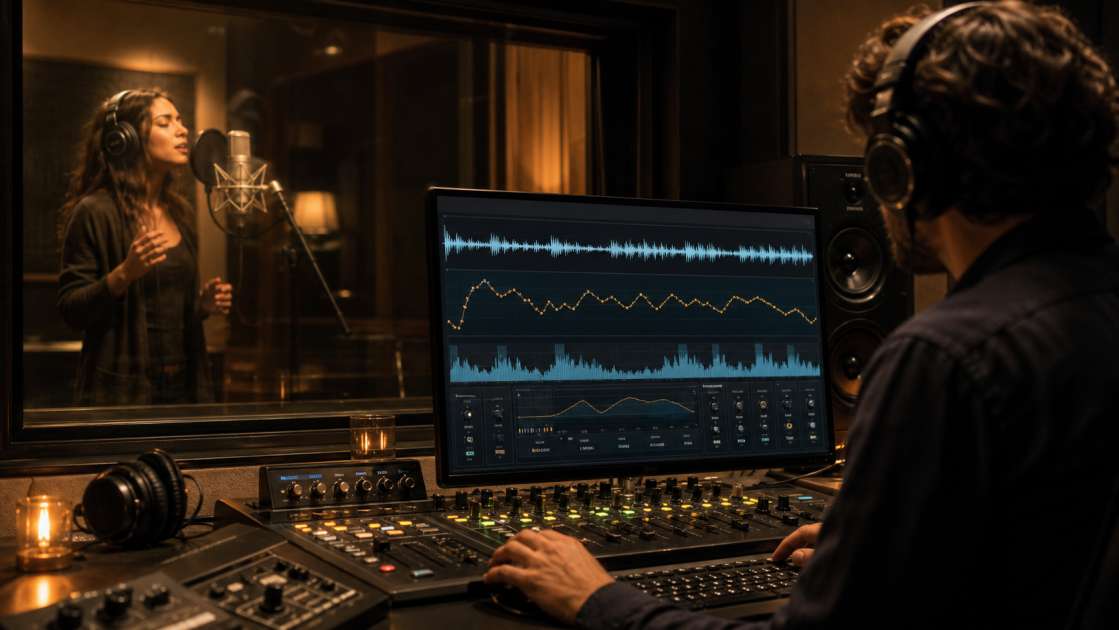
After six months of working with Suno-generated vocals, the recurring issues are clear: digital wobble on sustained notes, metallic sibilance, and an unnaturally clean tone that lacks the warmth and texture of recorded human voices. The artificial sheen, lifeless sustain, and strange pitch modulation become obvious to experienced listeners within seconds. The unnatural breath control, the way long notes flutter with digital artifacts, the harsh sibilance that cuts through the mix—these are technical problems that require deliberate audio restoration work. This guide documents practical methods for reducing these audible artifacts using both smarter prompt engineering in Suno and aggressive post-processing in a DAW.
In short: The primary issues are digital wobble on sustained notes, absent breath sounds, and metallic sibilance. Address them with Melodyne to flatten unwanted pitch modulation, manually insert breath samples between phrases at approximately -22 dB, and apply focused de-essing around 6-8 kHz. Reference monitoring on decent headphones is essential. Expect to spend two to three hours per track for thorough correction. A proven technique is layering a real vocal reference underneath at -15 dB to add organic texture and body to the final mix.
Six Common Audible Artifacts in AI-Generated Vocals
Before correcting problems, you need to identify them accurately. These are the most consistent technical issues found in Suno vocal outputs.
First, digital wobble or flutter. Any sustained note longer than approximately 1.5 seconds begins to exhibit phase-like modulation. This is distinct from musical vibrato, which has intentional rhythm and timing. The artifact sounds like unstable pitch correction or phase interference, creating an unnatural shimmer that reveals the synthetic source.
Second, absence of breath noise. Natural vocal recordings include audible inhales and exhales between phrases, which contribute to the sense of intimacy and realism. AI-generated vocals typically contain no breath sounds whatsoever, resulting in a sterile, disconnected quality that the ear registers as unnatural even when the listener cannot articulate why.
Third, metallic, repetitive sibilance. The S, T, and similar consonant sounds carry an identical, crystalline quality throughout the track. In natural vocals, sibilance varies in tone and intensity depending on context, emotion, and pronunciation. AI sibilance exhibits a copy-paste uniformity that becomes particularly obvious during critical listening.
Fourth, overly precise timing. Human vocalists naturally rush or drag certain phrases based on emotional delivery. They land slightly off the quantization grid in ways that feel musical. AI vocals tend to lock perfectly to the tempo grid with metronomic precision, which results in a rigid, mechanical feel.
Fifth, softened consonants. Natural singers attack consonants like P, K, and T with varying force and articulation. AI vocals tend to render these consonants with reduced impact, creating a mushy quality that lacks percussive definition and makes the vocal sit poorly in a dense mix.
Sixth, unnaturally clean tone. Real vocal recordings carry the sonic signature of the microphone, preamp, room acoustics, and the physical resonance of the singer's voice. AI vocals sound as if they were generated in an acoustically dead, perfectly neutral space. The lack of harmonic texture and tonal color is immediately apparent when compared to recorded vocals.
Step 1: Improve Source Quality with Detailed Prompts
The first opportunity to reduce artifacts is during generation. Generic prompts produce generic, artifact-heavy results. More detailed direction yields cleaner source material with fewer obvious problems.
Use specific voice descriptors rather than vague terms. Instead of "male vocal," try "gritty blues voice with controlled rasp" or "smooth baritone with chest resonance." For female vocals, specify characteristics like "soft, breathy indie tone" or "powerful belt voice with clear diction." The more precise the description, the less room the algorithm has to default to its middle-ground settings.
Include emotional and dynamic instructions. Phrases like "breathy, intimate delivery in verses" or "powerful crescendo in chorus with slight vocal strain" help shape the performance characteristics. "Light vibrato on long notes only" or "minimal vibrato, straight tone" can reduce some of the unwanted pitch modulation that typically appears.
Define structural variation directly in the prompt. "Verse calm and restrained, chorus powerful and open" prevents the flat, unchanging delivery that AI often defaults to. Real singers adjust their tone and technique section by section. Explicitly requesting this variation helps the model approximate that behavior.
Including phrases like "natural timing with slight imperfections" may help reduce the mechanical timing issue, though it is difficult to verify whether the model parses this instruction effectively. The empirical results suggest some improvement.
For ad-libs and vocal ornaments, use parenthetical notation in the lyrics such as (oh yeah) or (hey) where you want spontaneous vocal flourishes. This adds variation in the margins of the main vocal line.
Avoid placing vocal characteristics in the Style of Music field. That field is better suited for genre, instrumentation, and tempo. Keep all vocal descriptions in the main prompt text for clearer parsing by the model.
Step 2: Generate Multiple Takes and Extract Stems
Even with optimized prompts, the first generation is rarely the best option. Generate three to four versions of each section and audition them. One will typically exhibit fewer artifacts and a more usable tonal character than the others.
Use the Extend feature strategically. Generate a short section with an obsessively detailed prompt—30 to 45 seconds covering the verse and chorus. Once you have a take with acceptable vocal quality, extend from that clip to build out the rest of the track. This maintains more consistency than generating a full three-minute song in one pass.
The Get Stems feature is essential for any post-processing work. Access it from the menu on any completed track. This separates the vocal, instrumental elements, bass, and drums into individual files. Isolation is required for targeted corrective processing.
Step 3: Use Voice Cloning for More Organic Source Material
Suno's voice cloning feature allows you to create a custom vocal persona from uploaded audio. This can produce results with more natural formant structure and less obvious synthetic character.
Record a clean vocal sample—at least 30 seconds, preferably a cappella or with minimal background noise. Spoken word or sung phrases both work. A quiet recording environment is critical for clean model training.
In Suno's Create tab, switch to Custom Mode and select Add a Voice. Upload your audio file or record directly. Select the correct gender setting, as this affects pitch mapping. Adjust the Audio Influence slider to between 60 and 80. Below 50, the model ignores most of the uploaded characteristics. Above 85, artifacts from overfitting become apparent.
An effective technique is to generate a track with a particularly good AI vocal, extract the vocal stem, and use that stem as the source for persona creation. This creates a feedback loop that can yield more consistent results across multiple generations.
Save and name each custom voice for reuse. Multiple personas can be maintained for different vocal ranges and tonal qualities.
Step 4: Correct Pitch Modulation and Timing Issues
Load the vocal stem into Melodyne or a comparable pitch correction tool. The goal is to address digital wobble and overly precise timing.
Locate all sustained notes longer than 1.5 seconds. In Melodyne, reduce the Pitch Modulation parameter to approximately 30 to 50 percent of the original value. For severely affected notes, flatten the pitch entirely and manually redraw a subtle, late-onset vibrato if musically appropriate. Human vibrato typically begins after the note has been held for a moment, not immediately at onset.
Address timing by shifting individual phrases 5 to 15 milliseconds off the grid. Some phrases should be slightly early, others slightly late. Emotional or laid-back phrases work better slightly behind the beat. Rhythmic or excited phrases can be nudged ahead. Do not apply quantization—that reinforces the mechanical quality you are trying to remove.
This process requires 20 to 30 minutes per vocal track. The difference in musical feel is substantial.
Step 5: Add Breath Samples and Restore Consonant Impact
Record a short file of breath sounds—sharp inhales, soft exhales, and subtle mouth noise. Chop this into individual samples. Insert these samples into the gaps between vocal phrases at approximately -22 dB, with short fades on each end to prevent clicks. This single addition significantly improves the perception of a natural vocal performance.
Alternatively, download a breath sample library. Several are available at no cost from sample providers like Production Music Live or Sound Dust.
Next, restore consonant definition. AI vocals tend to soften P, K, and T sounds. Locate the first consonant of each important word and use clip gain or volume automation to boost it by 2 to 4 dB. Apply this selectively, not uniformly—variation is the key to a natural sound.
This step adds another 15 to 20 minutes of editing time but dramatically improves clarity and impact in the mix.
Step 6: Apply Corrective Processing with De-Essing, Compression, and Saturation
AI vocals require more aggressive de-essing than natural recordings. Load a de-esser such as FabFilter Pro-DS and target 6 to 8 kHz for female vocals and 5 to 7 kHz for male vocals. Apply 4 to 7 dB of reduction. If available, add Oeksound Soothe2 after the de-esser to smooth remaining resonant peaks.
Add compression using a fast attack and fast release setting. A 1176-style compressor is effective. Target approximately 4 to 6 dB of gain reduction on peaks. The goal is not dynamic control but the addition of the pleasing harmonic artifacts that analog compression imparts.
Apply light saturation using a plugin such as Soundtoys Decapitator or FabFilter Saturn 2. Keep drive settings low—10 to 20 percent—just enough to add harmonic content and warmth without audible distortion.
Finally, add tape emulation such as Waves J37 or U-He Satin. Subtle wow, flutter, and warmth help the vocal feel like it passed through physical hardware rather than being rendered digitally. Keep settings minimal to avoid obvious modulation effects.
The cumulative effect of these processors is to add the small imperfections and tonal coloration that naturally occur when audio passes through analog equipment and acoustic spaces.
Optional: Layer a Real Vocal for Organic Texture
The most reliable method for adding natural character is to layer a real human vocal underneath the AI vocal. Generate your AI vocal, then record a matching vocal performance—this does not need to be polished or perfectly in tune. Time-align and pitch-correct it to match the AI vocal exactly. Place this real vocal on a separate track at -12 to -18 dB below the AI vocal. Apply a low-pass filter around 5 kHz to darken it, so it adds body and organic texture without compromising the clarity of the AI vocal.
The listener consciously hears the AI vocal, but the subtle presence of real breath, micro-timing variations, and formant structure underneath significantly improves the perception of naturalness. This technique has been used with Vocaloid and other synthesized vocals for years.
If you cannot record a vocal yourself, purchase or license an a cappella vocal stem and layer it using the same method.
Complete Processing Checklist
The full workflow for cleaning and improving Suno vocal stems:
In Suno, use detailed, specific prompts describing voice character, emotion, and dynamics. Generate three to four takes and select the best. Export stems. Load the vocal stem into Melodyne and reduce pitch modulation by 50 percent on all sustained notes longer than 1.5 seconds. Flatten unwanted vibrato and manually redraw subtle vibrato if musically appropriate. Shift phrase timing 5 to 15 milliseconds off the grid—some early, some late. Use clip gain to boost important consonants by 2 to 4 dB. Insert breath samples between phrases at -22 dB with short fades. Apply aggressive de-essing targeting 6 to 8 kHz for female vocals or 5 to 7 kHz for male vocals, with 4 to 7 dB of reduction. Add fast-ratio compression with 4 to 6 dB of gain reduction. Apply light saturation at 10 to 20 percent drive. Add subtle tape emulation. Optionally, layer a real vocal underneath at -15 dB, time-aligned and low-pass filtered around 5 kHz. Proceed with standard vocal chain: EQ, reverb, delay, and final bus processing.
The first time through, budget three hours. With practice and templates, this reduces to approximately 30 minutes per track. The audible improvement over raw Suno output is substantial.