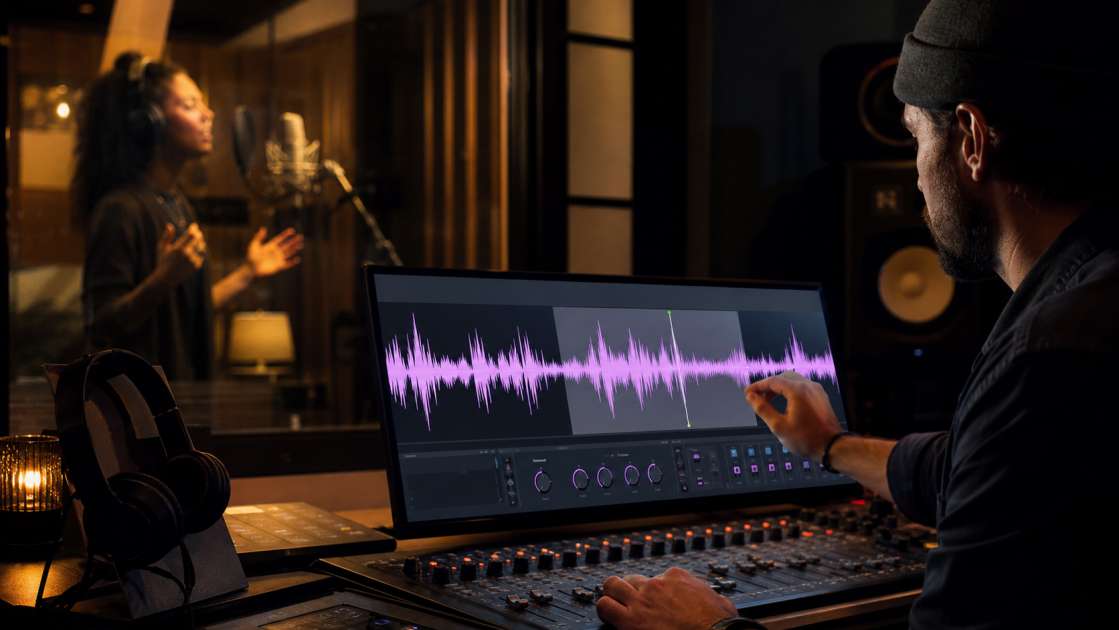
One of the most frustrating experiences in audio production is recording a vocal take that feels emotionally perfect, only to discover during playback that it's riddled with technical problems. Maybe there's a persistent hiss from your preamp, a metallic shimmer across the top end, or a robotic quality that makes the singer sound lifeless. The performance was there, but the recording quality wasn't. Bad audio has this nasty talent for turning a genuinely moving performance into something unlistenable, something you archive out of frustration. Your song dies not because the emotion wasn't there, but because nobody can hear it properly through the layer of audible artifacts.
In short: Modern AI vocal cleaners can rescue audio you thought was ruined—hiss, warble, harsh sibilance, muddy mids—without turning your voice into a lifeless robot. Best tool to start with is Adobe Podcast Enhance (it's free and browser-based). Budget is zero if you stick to free tools, maybe ten to fifteen dollars per month for premium ones. Main advice: record first, fix later—but always keep the raw stems so you can adjust processing if the first pass sounds unnatural.
There's a new generation of tools that can actually salvage this mess. They're called AI vocal cleaners, and they're not your grandfather's noise gate. These things have been trained on millions of hours of human speech and singing, so they know the difference between a breath that carries emotion and the digital shimmer left by poor converters. They promise studio-quality audio from your flawed recordings, and the surprising part is—they often deliver. The question is whether they'll preserve the rawness, the authenticity, the tiny imperfections that made the performance worth keeping in the first place.
What Is an AI Vocal Cleaner and Why Does It Matter for Music Production?
Think of it as a hyper-competent mastering engineer who lives inside your laptop and never gets tired. An AI vocal cleaner has spent years—metaphorically—listening to human voices in every possible condition. It knows what a clean voice sounds like, and it can separate that from the hiss, warble, and tonal artifacts that plague home recordings. That's the theory. The old noise reduction tools I used to wrestle with were like trying to perform surgery with a sledgehammer. You'd remove the hiss, sure, but you'd also remove half the frequency range of your voice, leaving you sounding like you're speaking from inside a tin can filled with water. Robotic, hollow, dead.
For someone working in a home studio or bedroom setup, this technology is borderline essential. That budget audio interface with a noisy preamp that adds a constant hiss to everything? Fixed. The metallic shimmer that appears when you push the gain too hard on a cheap condenser mic? Reduced. The muddy low-mids that make your vocal sit behind the instrumental instead of cutting through? Cleaned up with surgical EQ that these tools apply automatically. Even the harsh sibilance that makes every S sound like a knife—AI can de-ess that while keeping your voice intact. At least, that's what they claim. And I've tested enough of them now to say it's not entirely marketing nonsense.
The Technology: How AI Preserves Emotion and Natural Tone
The entire point of this system is noise reduction without the lifeless sound. That's the promise, and it's a big one, because every previous tool I've used has failed exactly there. You clean the audio, but you kill the life in it. What makes these new AI models different is that they've been trained to recognize not just voice versus noise, but the subtle layers within a voice—the breath before a word, the slight rasp when someone's belt, the way pitch shifts when a singer gets emotional or quiet. These are the elements that carry feeling, and if your processor is too aggressive, they vanish, leaving behind something technically clean but emotionally empty. A destructive process, if you will.
The good ones are designed specifically to keep the singer or speaker's natural tone. They clean everything around your voice while keeping the tone, breath, and emotion intact. I was skeptical the first time I ran a file through one of these tools—a recording with audible preamp hiss and a warbling quality from poor analog-to-digital conversion. I expected the usual trade-off: less noise, less soul. But the result was strange in a good way. The hiss was just gone, but the voice still sounded human. The little intake of breath before the phrase started, the slight crack when the emotion peaked—it was all still there. Surgically clean vocals with zero compromise to natural tone. No weird artifacts, no digital shimmer, no sense that a robot had chewed up the voice and spat out a sanitized version. That simplicity hides a lot of very complex spectral analysis, but I'm not complaining.
Common Audible Problems AI Can Fix in Seconds
I've collected a list of audio disasters from my own recordings and client stems, and it turns out AI handles most of them without breaking a sweat. Hiss and broadband noise are the classics—that constant shhhh from a noisy preamp, a cheap interface, or a poorly shielded cable. It sits across the entire frequency spectrum and masks the detail in your vocal. AI noise reduction can pull it out in seconds without making the voice sound thin or processed. Metallic shimmer and digital warble are harder to describe but impossible to ignore once you hear them. They sound like the vocal has been coated in a thin layer of digital grain, often caused by low-quality sample rate conversion or poorly calibrated gear. AI can smooth that out while leaving the actual harmonic content of the voice untouched.
Harsh sibilance and piercing highs are the things that make a vocal painful to listen to. Every S, T, and CH sound becomes a sharp spike that cuts through the mix in the wrong way. Traditional de-essing can work, but it often dulls the entire top end. AI-based de-essing is more surgical—it only tames the problem frequencies during the problem moments, leaving the rest of the vocal bright and clear. Muddy mids and lack of clarity are subtler but just as damaging. A vocal that sits in the 200 to 500 Hz range without enough definition will sound muffled and distant, like it's fighting to be heard through a blanket. AI mastering tools can identify this and apply corrective EQ that brings the vocal forward without making it sound harsh or unnatural.
Even the small stuff—robotic tone from over-processing, boxiness from poor room acoustics, or a lack of air and presence in the top end—AI can address with reference listening and adaptive processing. The speed is what gets me. All of this happens in seconds or minutes. You don't sit there watching a progress bar like it's 2010. You drop the stem in, adjust one slider if you're feeling fancy, and you're done. For someone mixing multiple tracks and trying to meet a deadline, that's the difference between finishing a project and getting stuck in endless tweaking.
Top AI Vocal Cleaner Tools for Music Production
I've burned through a dozen of these tools, and a few have earned a permanent spot in my workflow. Adobe Podcast Enhance is free and lives in your browser, which makes it almost stupidly convenient. You upload your raw vocal, wait a minute, and download something clean. The catch is you have zero control—it's a black box. You get what you get. No knobs, no settings. For quick fixes when you're in a rush, it works. But if you want more nuance or you're working on a final master, you'll get frustrated.
Waves Clarity Vx is the opposite end of the spectrum. It's a professional plugin, costs money, but the quality is absurd. It runs in real-time inside your DAW, and despite being powerful, it's basically a one-knob interface. You twist it until the noise is gone and the voice still sounds human. I use it when I actually care about the result and I'm not just cranking out a demo. Descript is the tool I recommend to podcasters who also want to edit spoken word content, but its Studio Sound feature works well on sung vocals too. It cleans audio as part of a bigger text-based editing suite. The downside is it's subscription-based, and if you're not using the other features, you're paying for a lot you don't need.
| Tool | Price | Best For |
| Adobe Podcast Enhance | Free | Quick fixes, beginners |
| Waves Clarity Vx | Paid | Professional mixes, control |
| Descript | Subscription | Spoken word, text editing |
A Step-by-Step Guide to Cleaning Your Vocal Stems
First, record smart in the first place. I know it sounds obvious, but using a decent microphone with a clean preamp makes a massive difference. Even a mid-range large-diaphragm condenser will outperform a cheap dynamic mic plugged into a noisy interface. And if you can, treat your recording space with basic acoustic panels to reduce reflections and boxiness. It's not glamorous, but it saves you hours of fixing later.
Once you have your raw vocal stem, export it as a high-quality WAV or AIFF file. Don't use MP3 or low-bitrate formats—you'll just bake in more artifacts. If you're shooting for a polished result, keep your original unprocessed stem as a backup. Now pick your weapon. For this example, let's say you're using Adobe Podcast Enhance because it's free and you're testing the waters. Open the site, drag your vocal file into the upload box, and wait. The AI does its thing in the cloud, processing your audio.
When it's done, download the cleaned version and listen with good reference headphones or studio monitors. Not earbuds, not laptop speakers—actual flat-response gear. Do you still hear the emotion in the voice? Is the hiss or warble gone? Does the vocal sound clear and natural, or did it turn into a weird digital ghost? If it sounds good, you're done. If it's too aggressive and the voice sounds thin or robotic, try a different tool or look for a setting to dial back the processing intensity. Finally, import the cleaned stem back into your DAW, replace the original, and continue mixing. You've just saved a take you thought was unusable.
Let Your Vocal Performances Be Heard
Bad audio used to mean you had to choose between keeping a flawed but emotionally perfect take, or re-recording until you got a clean one that might lack the same feeling. The hiss creeps in, the preamp adds shimmer, the room acoustics muddy the mids—and you either accept the technical flaw or lose the magic. That calculation has changed. You can now capture a genuinely moving performance and trust that AI will clean it up later without stripping out the emotion, the breath, the tiny imperfections that made the moment real. The goal is to maintain the authenticity and emotion of a specific take, and these tools actually do that more often than not.
I'm not saying the technology is perfect. Sometimes it gets confused, leaves in a weird resonance, or makes the voice sound slightly off in a way you can't quite pinpoint. But it's good enough that I don't delete flawed takes anymore. I keep everything, knowing I can at least try to restore it. That's a different mindset, and it's freeing. Don't let technical issues silence a great performance. Record everything, keep your stems organized, and trust that AI can help you share the music with the world, clearly and emotionally.